04 · Product
Workflows
Engineering logic that runs itself.
Every project has calculations it repeats: the mass margin, the power budget, the requirements document before each review. A workflow is that calculation drawn as nodes on a canvas and run against the live model, with the result written back onto the part or dropped into the project's documentation folder.
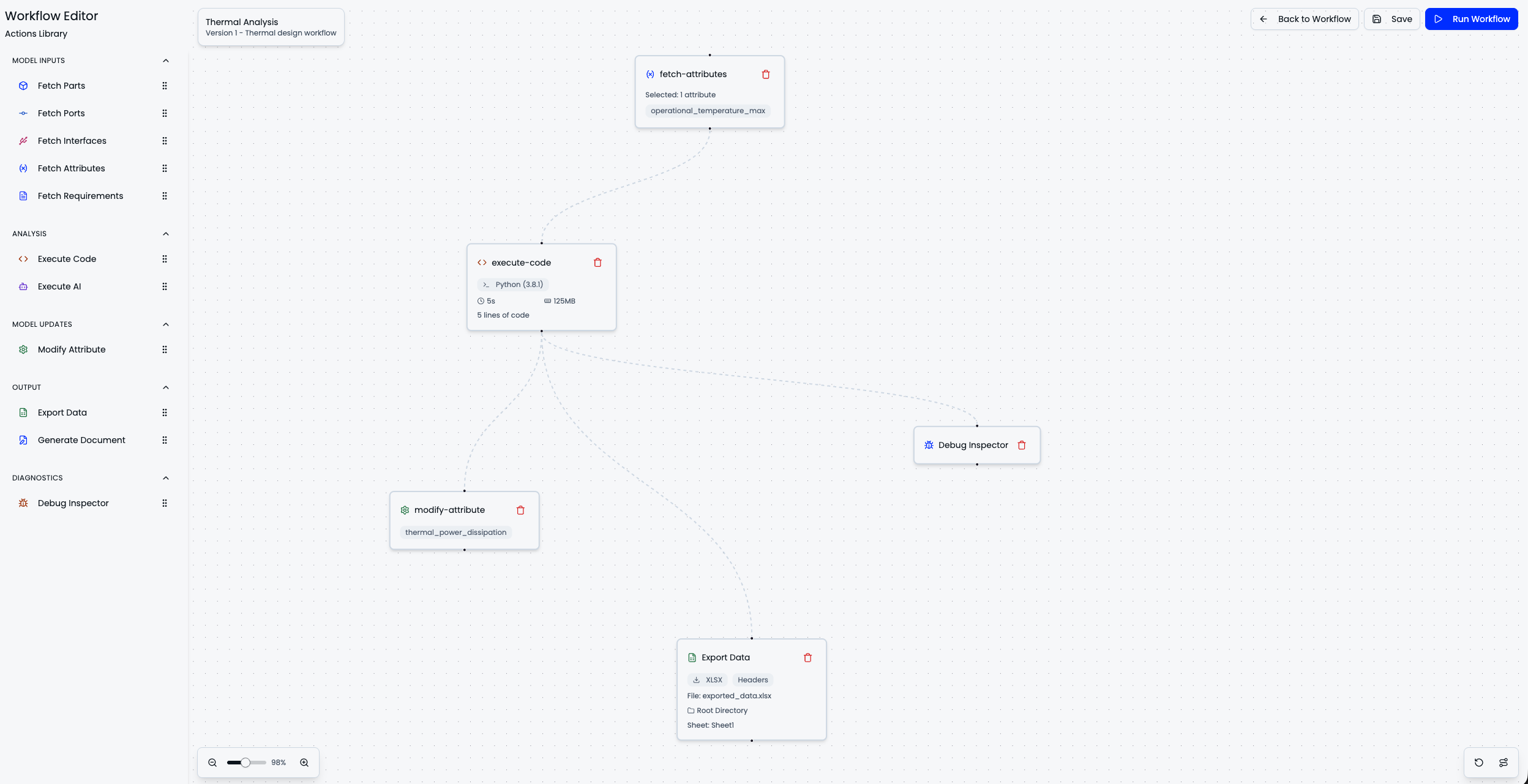
Fetch the attribute from the model, run the calculation, write the result back and export it. Every node reads the same live data.
- Read the model, write the modelThe mass margin reads its inputs off the parts and writes the result back onto the system. What used to be a spreadsheet with links into three other spreadsheets is a few nodes.
- Run when the data changesThe moment a battery mass changes, the budget that depends on it reruns. Or nightly, or before every review, whichever suits the calculation.
- Computed values know their originA computed value on the model says which workflow produced it, and rerunning it is one click from the part. After a big change, every computed value in the project refreshes in one go.
- Every run loggedEach node's input, output, duration and any error are kept per run, so a number on the model traces back to the run that produced it.
- AI in the loopA step in a workflow can be a language model. Hand it the requirements and ask for the contradictory ones, and the answer comes back structured so the next step can act on it.
Python where a formula is not enough
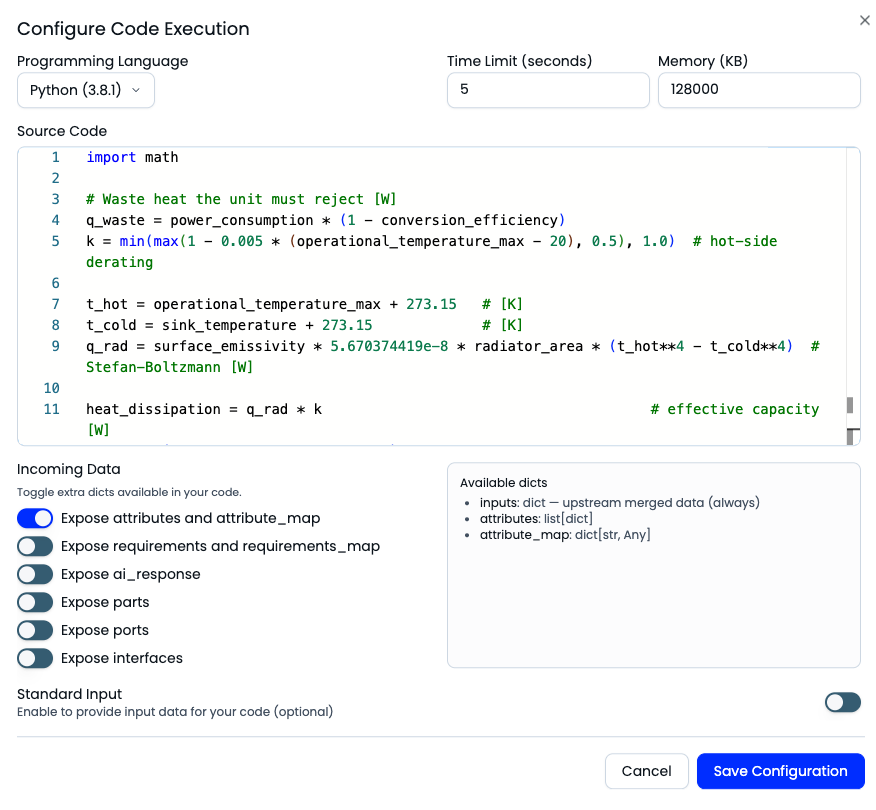
A formula on an attribute covers the mass roll-up. A link budget, a thermal case or a Monte Carlo run does not fit in one expression, so a workflow runs your Python against the live model instead. The parts, attributes and interfaces arrive as data, the calculation is yours, and the result goes back onto the system like any other value.
Documents generated from your own template
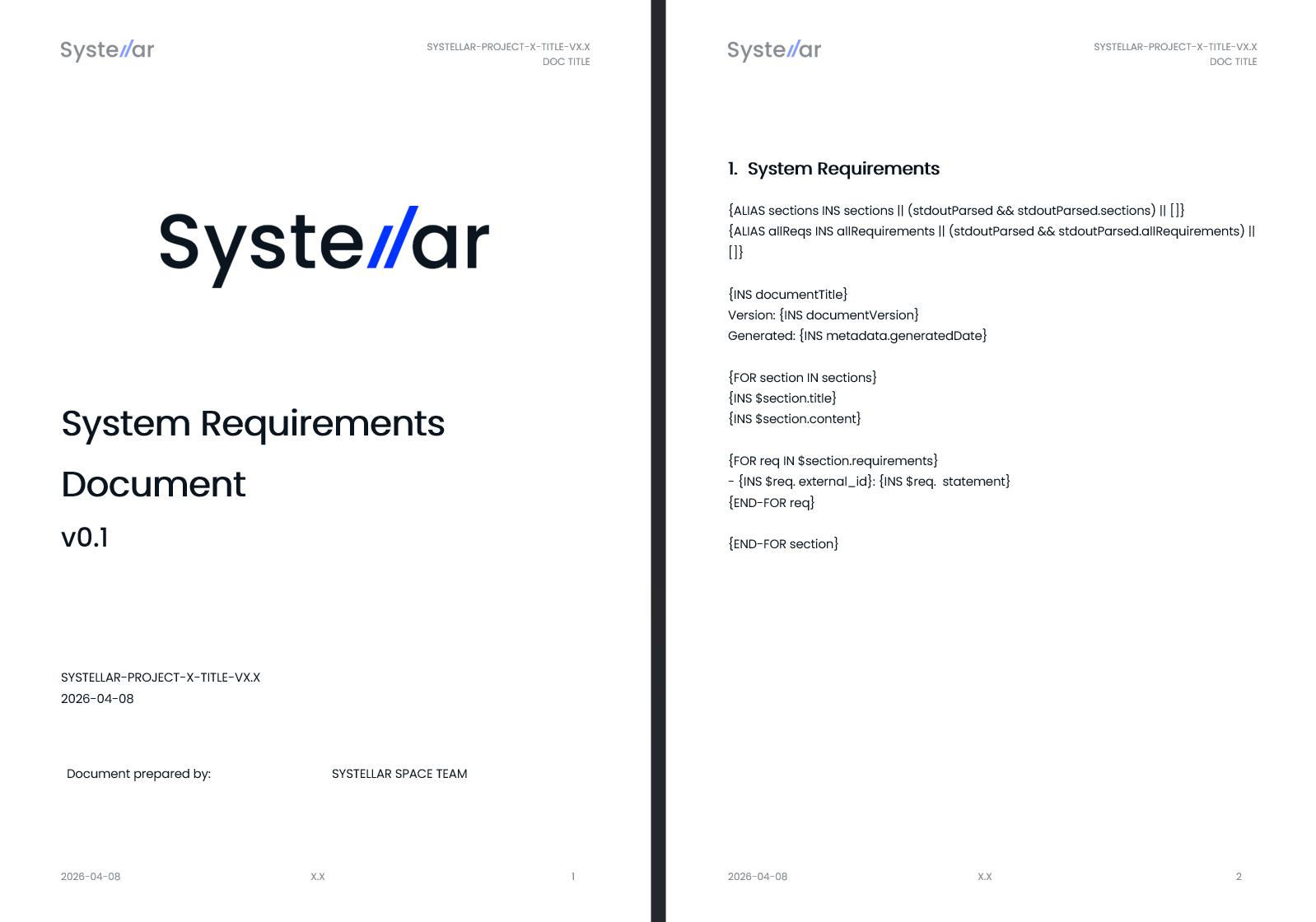
The requirements document before every review is generated, not assembled. The template is your own Word file with the numbers left blank; the workflow fills it from the live model and files the result in the project. Preparing for a review stops being an afternoon of copying values between windows.